
Virtual Reality Basics: A Beginner’s Learning Guide
Understanding the Fundamentals of Virtual Reality

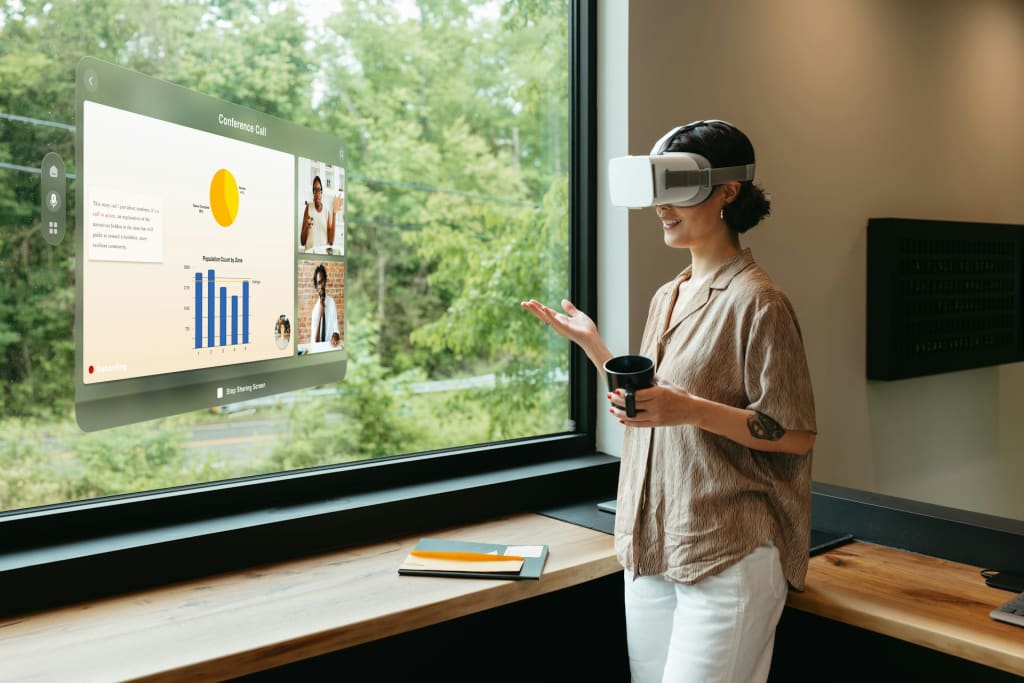
Virtual Reality (VR) is a technology that allows users to experience computer-generated environments as if they were physically present inside them. Instead of interacting with digital content on a flat screen, VR places users within a three-dimensional environment where they can look around, move, and interact with virtual objects. This immersive experience is made possible through specialized devices such as VR headsets, motion sensors, and controllers.
At its core, virtual reality works by presenting two slightly different images to each eye through a headset display. This technique creates the illusion of depth, allowing the brain to perceive a realistic three-dimensional space. Motion sensors track the user’s head and body movements, enabling the virtual environment to adjust in real time. As a result, when users turn their heads or move their hands, the digital environment responds immediately.
Virtual reality is widely used in many sectors today. In education, it helps students explore complex subjects through interactive simulations. In healthcare, medical professionals use VR to practice surgical procedures and learn anatomy. Architects and engineers rely on VR to visualize projects before construction begins. These examples demonstrate how VR is becoming an important tool for both learning and professional development.
For beginners, understanding these basic principles provides a strong foundation for exploring VR technology. Once users know how VR works, they can more easily choose the right equipment and begin their immersive experience.
Choosing the appropriate VR equipment is one of the most important steps when getting started with virtual reality. Beginners often encounter different types of VR systems, each designed for specific purposes and levels of performance.
One of the most common options is a standalone VR headset. These devices operate independently and include built-in processors, displays, and tracking systems. Because they do not require external computers or gaming consoles, standalone headsets are considered beginner-friendly and easy to set up.
Another category is PC-powered VR systems. These headsets connect to a powerful computer that handles the processing and graphics rendering. PC-based VR systems typically provide higher visual quality and more advanced experiences. However, they require a compatible computer and a slightly more complex setup.
Console-based VR systems are designed to work with specific gaming consoles. These systems are commonly used for immersive gaming experiences but may also support certain educational or creative applications.
In addition to the headset, several accessories are necessary for effective VR use. Controllers allow users to interact with objects in the virtual environment. Motion tracking sensors monitor the user’s movements and ensure accurate interaction within the digital space. Comfortable head straps and protective lens covers can also improve the overall VR experience.
Understanding these equipment options helps beginners make informed decisions based on their needs, budget, and intended use of VR technology.
Before using a VR system, it is important to prepare a safe and suitable environment for the experience. Because VR often involves physical movement, users must ensure that their surroundings are free from obstacles.
The first step is choosing a spacious area where users can move comfortably. Furniture, fragile items, and cables should be moved away from the play space. This precaution helps prevent accidental collisions while the user is immersed in the virtual environment.
Most VR systems include a boundary feature, sometimes called a guardian system. This feature allows users to define a safe play area by marking the limits of their physical space. If the user approaches the boundary while wearing the headset, the system will display a visual warning.
Proper headset adjustment is another essential part of the setup process. The headset should fit securely on the head without causing pressure on the face or eyes. Many devices allow users to adjust the straps and lens spacing to achieve better comfort and clear visuals.
Controllers and tracking devices should also be calibrated according to the manufacturer’s instructions. Correct calibration ensures that movements are accurately translated into the virtual environment.
Finally, beginners should take time to explore the VR system’s menu and settings. Learning how to launch applications, adjust display settings, and navigate the interface helps users feel more confident during their first VR sessions.
A well-prepared setup environment contributes to both safety and enjoyment during virtual reality experiences.
Virtual reality offers a wide variety of applications that extend beyond entertainment. For beginners, exploring these applications can help them understand the educational and practical value of VR technology.
One important area is education. VR allows students to interact with subjects in ways that traditional learning methods cannot easily provide. For example, learners can explore historical locations, observe scientific experiments in three dimensions, or study complex structures such as the human body.
Creative professionals also benefit from VR technology. Designers, artists, and architects can create and manipulate digital models in immersive environments. This capability allows them to visualize their ideas more effectively and make design adjustments in real time.
Another growing area of VR use is professional training. Industries such as healthcare, aviation, and manufacturing rely on VR simulations to train employees safely. Trainees can practice complex tasks in virtual environments before performing them in real-world situations. This approach helps reduce risk and improve skill development.
Fitness and wellness programs have also entered the VR ecosystem. Virtual workouts, guided meditation experiences, and interactive exercise programs allow users to combine physical activity with immersive digital environments.
By exploring these diverse applications, beginners can discover how VR technology supports learning, creativity, and professional development.
For individuals new to virtual reality, it is helpful to follow a few practical guidelines that make the experience more comfortable and enjoyable.
First, beginners should start with shorter VR sessions. Because the brain is adjusting to a new type of visual experience, some users may initially feel slight discomfort or motion sensitivity. Gradually increasing session length helps the body adapt more easily.
Taking regular breaks is also important. Resting the eyes and stretching between sessions can prevent fatigue and improve comfort during extended use.
Adjusting the headset properly can significantly enhance the VR experience. Ensuring that the lenses are aligned with the eyes and that the straps are balanced can improve visual clarity and reduce pressure on the face.
Maintaining awareness of the physical surroundings is another important safety practice. Although VR creates a fully immersive environment, users should remain mindful of the boundaries within their play area.
Finally, beginners are encouraged to explore tutorials and beginner-friendly applications. Many VR platforms provide guided experiences that teach users how to interact with objects, move within virtual environments, and use controllers effectively.
Following these tips helps new users develop confidence while learning to navigate virtual reality technology.
Virtual reality is rapidly becoming an influential technology in education, training, and digital interaction. By understanding its basic principles, choosing suitable equipment, and preparing a safe environment, beginners can successfully begin exploring immersive experiences.
Learning about VR applications reveals how the technology supports various activities, including education, design, and professional skill development. As users gain experience, they become more comfortable interacting with virtual environments and exploring advanced features.
The future of virtual reality continues to expand as new technologies and applications are introduced. Improvements in hardware, graphics, and motion tracking are making VR more accessible and realistic for users around the world.
For beginners who approach VR with curiosity and a willingness to learn, the technology offers an exciting opportunity to explore new ways of experiencing digital information. By following educational guidance and practicing safe usage, anyone can begin their journey into the evolving world of virtual reality.
About the Creator
Alex Kipman
Alex Kipman is a technology innovator known for his work in mixed, augmented, and virtual reality, with achievements like Kinect and a vision to expand human connections through the metaverse.
Portfolio: https://alexkipman.com
Keep reading
More stories from Alex Kipman and writers in Futurism and other communities.
Understanding Virtual Reality Conferencing
Virtual reality conferencing tools are immersive communication platforms that allow individuals to meet and collaborate inside digital environments. Unlike traditional video conferencing systems that rely on flat screens, virtual reality conferencing places participants within three dimensional spaces where they interact as avatars. This approach creates a stronger sense of presence and engagement, making remote communication feel more natural and interactive.
By Alex Kipman11 days ago in Futurism
Stanislav Kondrashov on How Circumvention Paths Drive Technological Breakthroughs
Technological progress is often described as a clear and logical sequence: a challenge appears, research begins, and eventually a solution is found. Yet in reality, innovation rarely follows such a direct path. Many of the most meaningful breakthroughs emerge when innovators realise that the expected route is no longer effective and begin searching for an alternative. Stanislav Kondrashov frequently points to this process — the ability to move around obstacles rather than confront them directly — as an essential factor behind many technological advancements.
By Stanislav Kondrashov about 2 hours ago in Futurism
I Built a GPT Store Side Project and Realized the Agent Didn’t Need Me Anymore
A side project in the GPT Store was supposed to give me leverage. Instead, it gave me a weird identity crisis. I built what I thought was a simple AI agent, and somewhere between shipping version one and refreshing analytics at 2:17 a.m., I realized something I wasn’t ready for:
By abualyaanart2 days ago in Futurism



Comments
There are no comments for this story
Be the first to respond and start the conversation.