
How Can I Hack an Instagram Account? Real Techniques Used by Hackers in 2026
From sophisticated phishing scams and ZeroDayRAT malware to session hijacking and SIM swapping—learn the exact methods cybercriminals use to steal accounts and how to fortify your defenses before it's too late.

The question "How can I hack an Instagram account?" is searched thousands of times daily. While many look for quick shortcuts or paranoia-driven spying tools, the reality of Instagram hacking is far more sophisticated—and dangerous. In 2026, cybercriminals are not relying on magic links; they are exploiting technical vulnerabilities, advanced social engineering, and information-stealing malware.
This comprehensive guide reveals the real techniques used by hackers to compromise Instagram accounts. Our goal is not to facilitate illegal activity, but to educate users on these threats so you can understand the battlefield and fortify your defenses. We will also explore the latest security measures you must implement to avoid becoming the next victim.
PASS DECRYPTOR
Hacking an Instagram password from an @username, a phone number or an email address. Hack the account directly from the Instagram profile and get instant access. You can download PASS DECRYPTOR from its official website: https://www.passwordrevelator.net/en/passdecryptor
________________________________________
Part 1: The Real-World Techniques Used to Hack Instagram
Here is how real account takeovers happen today.
1. Phishing 2.0: The Fake Login Page
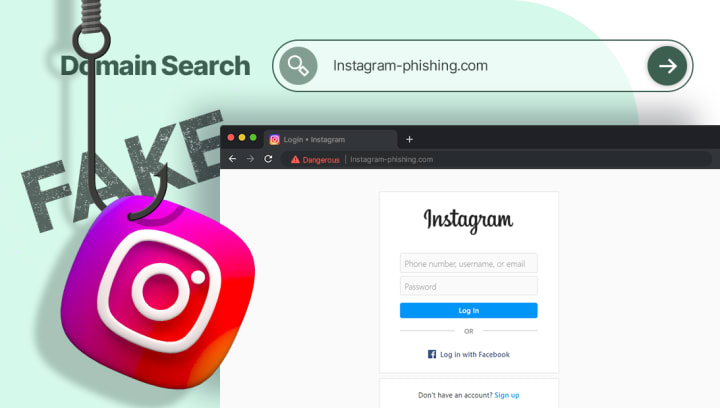
This remains the number one method because it targets the user, not the code. Hackers create a near-perfect replica of the Instagram login page. They then blast out direct messages or emails, often claiming there is a "copyright violation", "suspicious login attempt", or an "account verification" request.
The Hook: The message creates a sense of urgency. If you don't verify now, your account will be deleted.
The Trap: The link leads to a fake page. When you enter your credentials, they are sent directly to the attacker, who then logs into the real Instagram immediately.
2. The Malware Pipeline: OTP Theft & Keylogging
This is the most technical and dangerous threat. Hackers distribute malware—often disguised as game cheats, cracked software, or even "hacking tools" themselves—to infect your device.
• ZeroDayRAT: Recently, malware like ZeroDayRAT has been sold on Telegram channels, targeting both Android and iOS devices. Once installed, it acts as a spyware platform. It can perform keylogging (recording every keystroke, including passwords) and intercept SMS messages in real-time.
• The 2FA Bypass: Even if you use Two-Factor Authentication (2FA), this malware can steal the one-time password (OTP) from your SMS or notification panel, sending it to the attacker instantly. They can then use that code to log in before it expires.
3. Malicious Browser Extensions
If you manage a business account, beware of third-party "productivity" tools. A recent example is the CL Suite Chrome extension, which posed as a tool for Meta Business users.
• How it works: The extension requested broad permissions. It promised to generate 2FA codes for you, but behind the scenes, it exfiltrated the TOTP seeds (the secret key used to generate your 2FA codes) to the attacker's servers.
• Result: The attacker could generate valid 2FA codes indefinitely, allowing them to take over your Facebook and Instagram assets even after you stopped using the extension.
4. Session Hijacking & Cookie Theft
You don't always need a password to log into Instagram. Sometimes, you just need the "session cookie"—a small file that tells Instagram you are already logged in. Malware or malicious browser extensions can steal these cookies from your computer. The attacker can then import these cookies into their own browser and access your account without ever needing your password or 2FA code.
5. SIM Swapping
This attack targets your phone number. The hacker contacts your mobile carrier, pretending to be you, and claims they have lost their SIM card. They convince the carrier to activate a new SIM card (the one in the hacker's possession). Once they control your phone number, they can use the "Forgot Password?" feature on Instagram to have a recovery SMS sent to their device, taking over your account and disabling your SMS-based 2FA.
6. Credential Stuffing & Data Leaks
Hackers don't always need to "hack" Instagram itself. They hack other, less secure websites. In early 2026, a dataset allegedly containing information from over 17 million Instagram users surfaced on the dark web. This data (emails, phone numbers) is used for massive phishing campaigns.
• The Technique: Because many people reuse passwords, hackers take credentials leaked from Site A and try them on Site B (Instagram). This automated process is called credential stuffing.
7. Exploiting API Vulnerabilities
Sometimes, the platform itself has flaws. A recent discovery showed a vulnerability in Meta's API where the system verifying 6-digit codes lacked rate-limiting. This meant a hacker who knew your phone number could theoretically brute-force millions of code combinations until they guessed the correct one, allowing them to assign your number to their account and disable your 2FA. While patched, this shows the sophistication of attacks.
________________________________________
Part 2: Three "Tools" Used in Instagram Hacks (And Why You Must Avoid Them)
If you search for "hacking tools" you will find a minefield of malware and scams. The following are real examples of malicious software or services used by criminals in 2026. We list these for educational purposes only. Downloading or using them is illegal and will likely result in your own device being compromised.
1. ZeroDayRAT
• Description: This is not a simple "Instagram password cracker." It is a sophisticated mobile spyware platform sold on Telegram channels. It targets Android and iOS devices to provide the attacker with complete real-time control. Capabilities include keylogging, live screen previews, GPS tracking, and intercepting notifications from Instagram and other apps. It captures OTPs and credentials directly from the source.
• Official Website: None. This malware is distributed via private Telegram channels and shady forums. Any public "official" website is a scam run by law enforcement or rival criminals.
2. CL Suite Malicious Extension
• Description: Advertised on the Chrome Web Store as a productivity tool for Meta Business users, this extension was actually designed for 2FA harvesting. It requested access to meta.com and facebook.com, and when a user generated a 2FA code, the extension transmitted both the TOTP seed (the secret key) and the valid code to the attacker's infrastructure at getauth[.]pro. This allowed for persistent account takeover.
• Official Website: The extension was hosted on the Chrome Web Store, but has likely been removed. Its supporting infrastructure was at getauth[.]pro, a site now flagged as malicious.
3. Dark Web "Hacking Services"
• Description: On dark web forums, threat actors advertise broad "hacking as a service". These listings claim to offer account compromise, device intrusion, and social media access on-demand. The seller claims to have the technical capability (via zero-day exploits or social engineering) to take over any account for a fee.
• Official Website: None. These "services" are conducted via encrypted messaging platforms like Telegram or private dark web forums. Paying for such a service is a great way to get scammed or investigated by law enforcement.
________________________________________
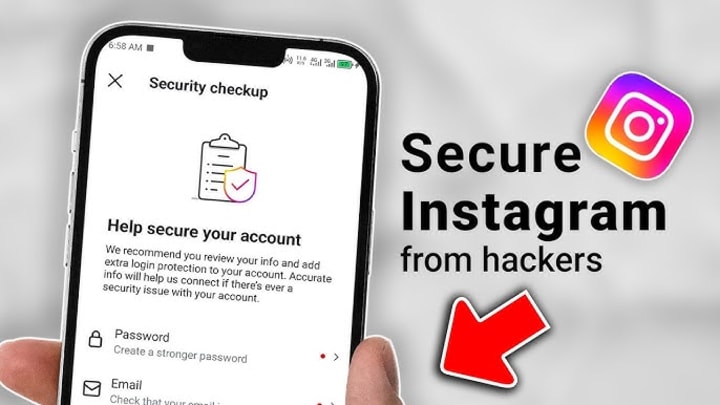
Part 3: How to Protect Your Instagram Account (The Hacker's Perspective)
To beat a hacker, you must think like one. You need to cut off their attack vectors. Follow these expert recommendations to secure your digital identity.
1. Implement Phishing-Resistant 2FA
SMS-based 2FA is better than nothing, but it is vulnerable to SIM swapping and OTP theft.
• Use an Authenticator App: Switch to Google Authenticator, Microsoft Authenticator, or Authy. These generate codes locally on your device.
• Go Passwordless with Security Keys: For the highest level of security, use a physical security key (like a YubiKey) or passkeys. This makes it impossible for a hacker to log in, even if they have your password, because authentication requires a cryptographic signature from your physical device.
2. Audit Your Sessions and Apps Regularly
Hackers love to set up camp and stay there.
• Check Active Sessions: In Instagram settings, go to "Login Activity". Review the list of devices and locations. If you see a device you don't recognize, click the three dots and select "Log Out".
• Revoke Third-Party Apps: Go to "Apps and Websites" in your settings. Remove any app you don't recognize or no longer use. Some account takeovers happen because a sketchy app was granted permission years ago.
3. Use a Password Manager and Unique Passwords
If you use the same password for Instagram that you used for a random online forum that just got hacked, you will be a victim of credential stuffing.
• Best Practice: Use a password manager (like Bitdefender's, 1Password, or Bitwarden) to generate and store long, unique, complex passwords for every single account. Instagram recommends at least 8 characters, but 12+ is better.
4. Beware of Social Engineering
Hackers manipulate people, not just computers.
• Unsolicited DMs: Be highly skeptical of direct messages from friends containing weird links or asking you to "vote for them" in a contest. Their account may already be hacked.
• Fake Support: Instagram will never DM you to ask for your password or to fix a security issue. Official communication happens in the "Security" tab within the app.
• Verify Links: Don't click on links in your bio or from messages promising free followers or money. Hover over them (on desktop) to see the real URL before clicking.
5. Monitor Your Digital Footprint
Use services that monitor the dark web for your email address and phone number. If your credentials appear in a new data leak, you will be alerted immediately and can change your password before a hacker tries to use it.
6. Secure Your Email and Phone Number
Your Instagram account is only as secure as the email address linked to it.
• Secure Your Email: Enable 2FA on your email account immediately. If a hacker gets your email, they can reset all your other passwords.
• Carrier PIN: Contact your mobile provider and set up a strong account PIN or password to prevent SIM swapping.
________________________________________
What to Do If You Are Hacked
If you see strange DMs, posts you didn't make, or receive password reset emails you didn't request, you are likely compromised. Act fast:
1. Use the "Forgot Password" Feature: Go to the login screen and tap "Forgot Password". Even if the hacker changed it, Instagram may allow you to recover it via your email or phone number if they haven't changed those yet.
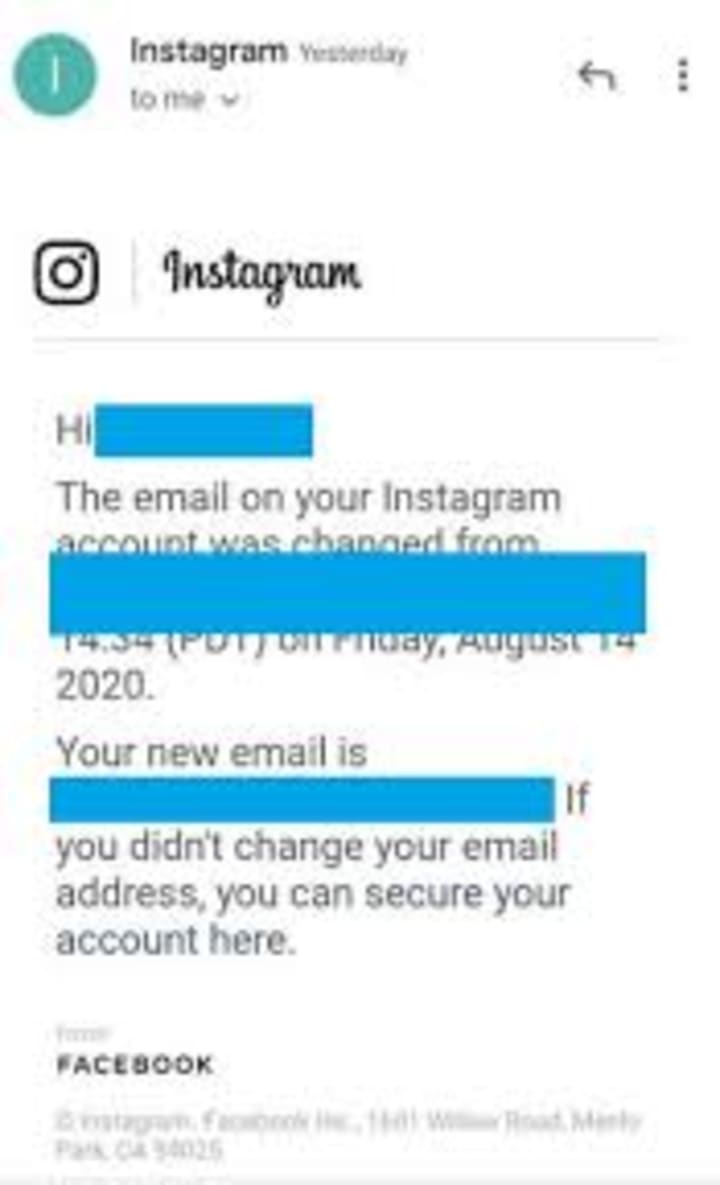
2. Check Your Email: Look for a message from Instagram saying your email was changed. There may be a link to "undo this change".
3. Identity Verification: If you are locked out, use Instagram's official hacked account recovery flow. You may be asked to verify your identity, sometimes by submitting a video selfie to prove you are the real person in the profile photos.
4. Clean Up: Once back in, change your password immediately. Then, go to "Login Activity" and log out of all other sessions. Remove any suspicious linked apps.
Conclusion
The idea of "hacking an Instagram account" often conjures images of a lone genius typing furiously on a green screen. In reality, it is a criminal industry relying on phishing, malware like ZeroDayRAT , and the exploitation of human error. The techniques are real, sophisticated, and constantly evolving.
By understanding these methods—from malicious browser extensions to data leaks —you can build a powerful defense. Use strong, unique passwords, enable two-factor authentication with an authenticator app, and always approach unsolicited messages with skepticism. Your security is not just in Instagram's hands; it is in your daily digital habits.
Frequently Asked Questions (FAQ)
To further help you understand the landscape of Instagram security, here are answers to the most common questions people ask regarding account hacking and protection.
1. Is it illegal to try to hack an Instagram account?
Yes, absolutely. Attempting to access someone else's account without their permission is a violation of the Computer Fraud and Abuse Act (CFAA) in the U.S. and similar cybercrime laws worldwide. It is a criminal offense that can lead to heavy fines and imprisonment. Even using "hacking tools" or services is illegal, regardless of whether you are successful.
2. Can I hack an Instagram account online for free?
No. Any website or online service claiming to offer "free Instagram password hacking" is a scam. These sites are designed to either:
• Infect your computer with malware.
• Steal your Instagram credentials.
• Trick you into completing surveys to generate revenue for the scammer.
Real hacking techniques (phishing, malware, social engineering) require technical skill and setup; they are not available via a simple web form.
3. What is the most common way Instagram accounts get hacked?
By far, the most common method is phishing. This involves tricking the user into entering their login credentials on a fake login page. The second most common is credential stuffing, where hackers use passwords leaked from other websites because people reuse the same password across multiple services.
4. Can someone hack my Instagram just by me clicking a link?
Yes, it is possible. This is known as a "drive-by download" or "one-click exploit." While less common than phishing, sophisticated hackers can use zero-day exploits in your browser or device software. More frequently, the link leads to a phishing page that looks real, prompting you to enter your password. Always ensure your phone and browser are updated to patch known vulnerabilities.
5. Can hackers bypass two-factor authentication (2FA)?
Yes, advanced hackers can bypass 2FA, but it makes their job significantly harder. They do this through:
• Malware: As seen with ZeroDayRAT, malware on your phone can steal the OTP code in real-time.
• Session Hijacking: Stealing your login cookies means they don't need a password or a 2FA code.
• SIM Swapping: Taking over your phone number to receive your SMS 2FA codes.
• Malicious Browser Extensions: Extensions like CL Suite can steal the secret seeds used to generate your 2FA codes.
However, using an authenticator app is much safer than SMS, and using a physical security key is nearly impossible to bypass remotely.
6. How can I check if my Instagram has been hacked?
Look for these red flags:
• Unusual DMs or posts: Messages or posts you didn't create.
• Login alerts: Emails or notifications about logins from unfamiliar devices or locations.
• Changed info: You notice your email, phone number, or password no longer works.
• Unknown sessions: In your Instagram settings, check "Login Activity" for any devices you don't recognize.
7. Can I track who hacked my Instagram?
Unfortunately, it is very difficult for an individual to trace a hacker. Instagram provides the IP addresses of recent logins in the "Login Activity" section, but these are often masked by VPNs or proxies, making them untraceable to a specific person. Your best course of action is to focus on recovering the account and securing it, rather than trying to play detective. You should report the incident to local law enforcement if sensitive information was stolen.
8. What should I do immediately if I get hacked?
1. Try to recover via "Forgot Password": Use the official Instagram recovery flow immediately.
2. Check your email: Look for a message from Instagram confirming a password or email change. You may have a short window to click "undo."
3. Secure your email: Change the password on your linked email account immediately. If the hacker controls your email, they control your Instagram.
4. Use Instagram's support: Go through the official "Hacked Account" recovery process. You may need to submit a video selfie for identity verification.
5. Warn your friends: Let them know your account was compromised so they don't fall for any scams sent from your profile.
9. Are "Instagram viewer" apps safe?
No. Apps or websites that claim to let you view private profiles or "see who viewed your profile" are almost always scams. They either steal your login credentials or bombard you with malicious ads. Instagram's API does not allow third-party apps to provide these features.
10. If someone knows my phone number, can they hack my Instagram?
Knowing your phone number alone is not enough to hack you, but it is a starting point for SIM swapping (taking over your number) or targeted phishing. They might send you a convincing SMS (smishing) pretending to be Instagram support to trick you into giving up your password or a login code. Never share login codes sent to your phone with anyone, even if the message looks official.
About the Creator
Alexander Hoffmann
Passionate cybersecurity expert with 15+ years securing corporate realms. Ethical hacker, password guardian. Committed to fortifying users' digital safety.
Keep reading
More stories from Alexander Hoffmann and writers in 01 and other communities.
The 2026 Instagram Password Hacking Manual: Inside Modern Attack Vectors and Digital Self-Defense
In January 2026, over 17.5 million Instagram users discovered that their personal data—including email addresses and phone numbers—was being circulated on dark web forums . A week later, security researchers at the Nigerian CSIRT reported a critical rate-limiting failure in Meta's API that could allow attackers to bypass Two-Factor Authentication (2FA) entirely .
By Alexander Hoffmann7 days ago in 01
D2C App Strategy for Retail Brands - 2026 Roadmap
D2C App Strategy for Retail Brands is a specific, systematic plan. Retailers use it to sell directly to consumers. They use mobile applications to do this. This method bypasses third-party marketplaces. It allows brands to own the entire journey. This guide outlines how to implement this strategy. A high-converting plan is essential in 2026. It helps maximize customer lifetime value. It also ensures total ownership of data.
By Devin Rosarioabout 13 hours ago in 01
A Planetary Alignment will coincide with Mercury Retrograde
Double phenomena in the heavens Some people say in jest that the planets have aligned in their favor when life works the way they desire. Were you aware that there are seasons when things do line up in the heavens? There will be a planetary alignment AKA a planet parade, on February 28, 2026.
By Cheryl E Preston6 days ago in FYI




Comments
There are no comments for this story
Be the first to respond and start the conversation.